 Qualcomm API Documentation
Getting Started
Qualcomm Software Center (QSC) provides API access via API keys. API keys can be generated from the QSC site.
Step 1: Login or Sign Up to Qualcomm Software Center
Log in to Qualcomm Software Center with your Qualcomm account. If you don't have an account use the link on the Login page to create one.
Step 2: Navigate to the API Key settings page
Click your username located in the top navigation menu and select Settings. From there, navigate to the API Keys tab.

Step 3: Generate API key
Once in the API Keys section, click on the "Generate" button to initiate the creation of a new API Key.
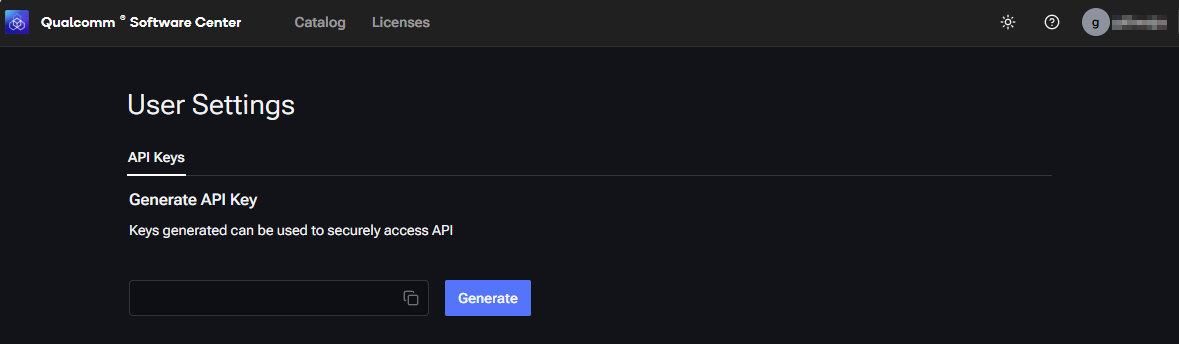
Generating a new API key overwrites existing API key.
Step 4: Copy the API-Key
Once the key has been generated, click the copy icon next to it to copy it to the clipboard.
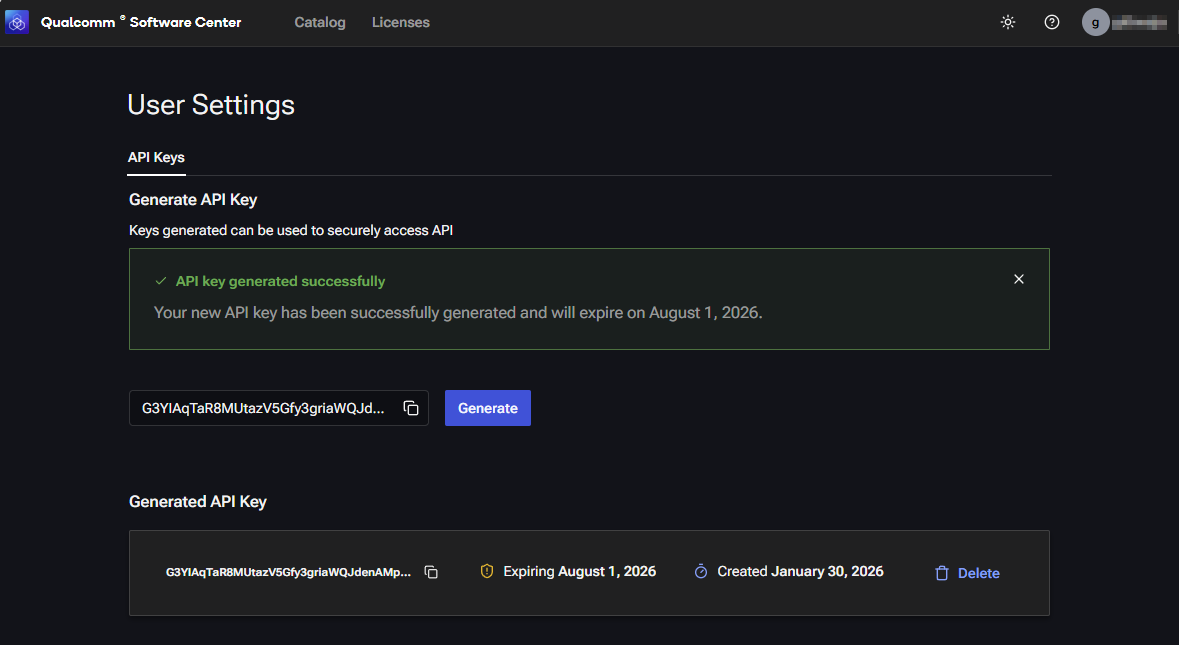
API keys expires in 6 months.
Next Steps
See the API List and definitions and try them using your API key on the Try It Out page.
Or see examples and sequences for common workflows on the Usage Guide page.